Configure Managed Transforms
In the dashboard
Log in to the Cloudflare dashboard, and select your account and website.
Go to Rules > Transform Rules.
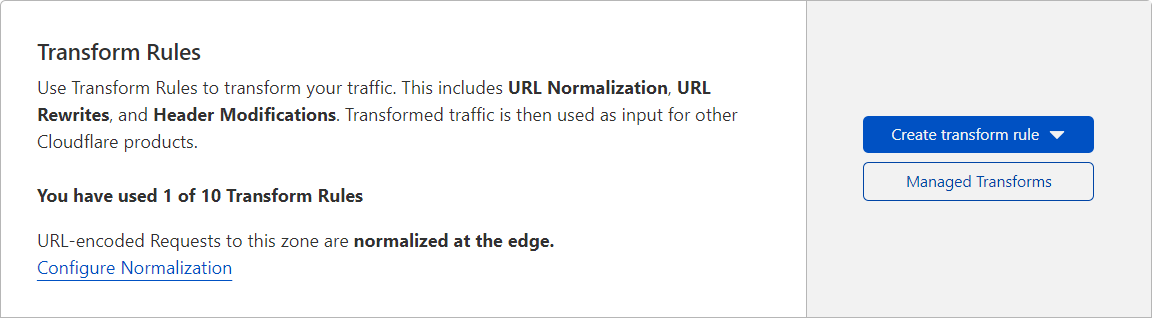
Click Managed Transforms.
In the pop-up dialog that appears, enable or disable the desired Managed Transforms by clicking the toggle next to each entry.
Click Close.
Via API
To enable a Managed Transform via API:
- Check the Managed Transform’s current status and availability using the Get all managed headers operation.
- Change the status of the desired Managed Transforms using the Change state of managed headers operation.
1. Get list of available Managed Transforms
The following request obtains a list of all Managed Transforms, organized by request or response, with information about their current status (enabled field) and if you can update them (available field):
Requestcurl "https://api.cloudflare.com/client/v4/zones/<ZONE_ID>/managed_headers" \-H "Authorization: Bearer <API_TOKEN>"
Response{  "result": {    "managed_request_headers": [      {        "id": "add_bot_protection_headers",        "enabled": false,        "available": false      },      {        "id": "add_visitor_location_headers",        "enabled": false,        "available": true      },      {        "id": "remove_visitor_ip_headers",        "enabled": false,        "available": true      }    ],    "managed_response_headers": [      {        "id": "remove_x-powered-by_header",        "enabled": false,        "available": true      },      {        "id": "add_security_headers",        "enabled": false,        "available": true      }    ]  },  "success": true,  "errors": [],  "messages": []
}
2. Change the status of Managed Transforms
Add the Managed Transforms you wish to change to the request body, and update their status in the enabled field.
Make sure you include the Managed Transforms you are updating in the correct JSON object (managed_request_headers or managed_response_headers).
Requestcurl -X PATCH \"https://api.cloudflare.com/client/v4/zones/<ZONE_ID>/managed_headers" \-H "Authorization: Bearer <API_TOKEN>" \-H "Content-Type: application/json" \-d '{  "managed_request_headers": [    {      "id": "add_visitor_location_headers",      "enabled": true    }  ],  "managed_response_headers": [    {      "id": "remove_x-powered-by_header",      "enabled": true    }  ]
}'
The response will include all the available Managed Transforms and their new status after the update.
Response{  "result": {    "managed_request_headers": [      {        "id": "add_bot_protection_headers",        "enabled": false,        "available": false      },      {        "id": "add_visitor_location_headers",        "enabled": true,        "available": true      },      {        "id": "remove_visitor_ip_headers",        "enabled": false,        "available": true      }    ],    "managed_response_headers": [      {        "id": "remove_x-powered-by_header",        "enabled": true,        "available": true      },      {        "id": "add_security_headers",        "enabled": false,        "available": true      }    ]  },  "success": true,  "errors": [],  "messages": []
}